Sync Shopify to Salesforce in under 10 minutes
Syncify is built for business teams, not IT departments. There is no code to write, no API to configure, and no developer ticket to raise. Just a straightforward setup that gets your platforms talking to each other in a faster way.
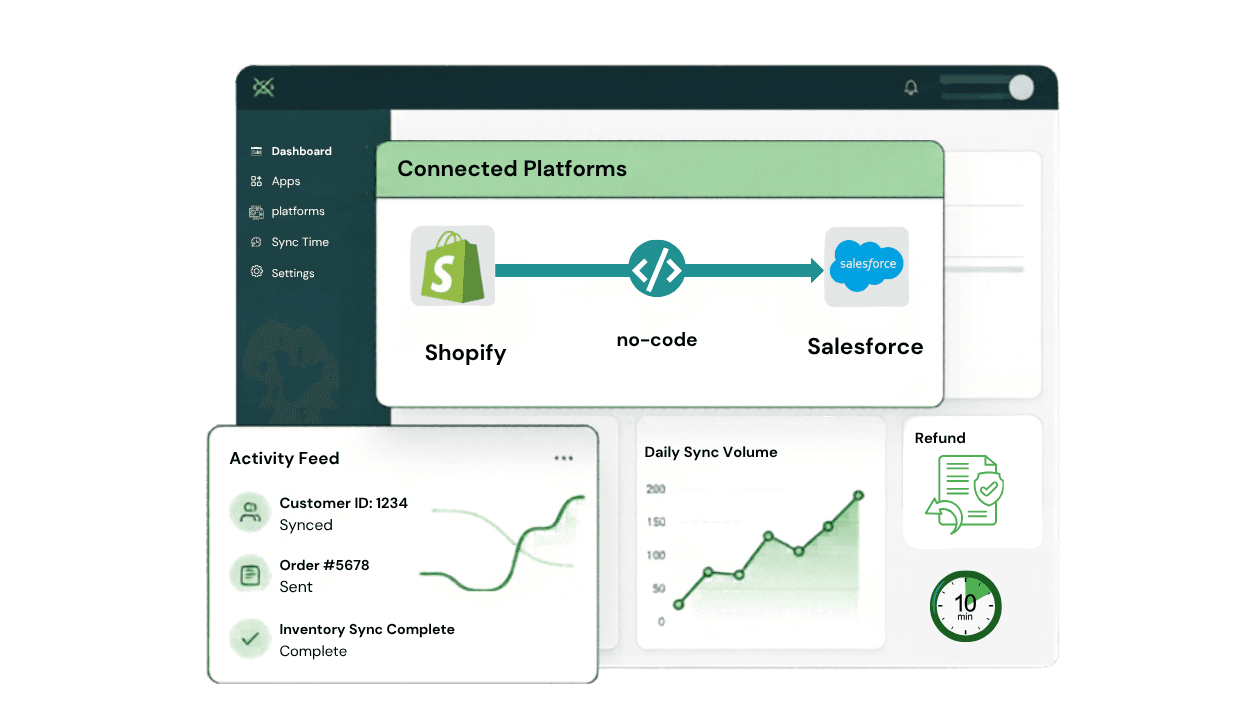
Three steps to a fully connected stack
Our guided setup ensures you're synchronized in minutes, not days. No technical debt, just data flow.
Connect Your Shopify Store
Authorise your Shopify store from within Syncify. No API keys to manage manually. If you have multiple Shopify stores, connect them all. Syncify supports multi-store from the same setup screen.
Automated Action
Syncify connects to your Shopify store and reads your data schema, products, orders, customers, and more.
Configure Your Field Mapping
Use Syncify's visual field mapping editor to define how your Shopify data maps to Salesforce objects. Choose which fields sync, in which direction, and to which Salesforce records like accounts, contacts, orders, opportunities, or custom objects. Save when ready.
Automated Action
Syncify saves your mapping rules and prepares to apply them on every sync event.
Enable Sync and Monitor
Flip the sync switch. Syncify immediately begins syncing data in real time using Shopify. Head to the dashboard to watch orders, customers, and products flowing into Salesforce. All sync events are logged into successes and errors, so you always have full visibility.
Automated Action
Your Shopify and Salesforce data is now live and in sync. All future changes are handled automatically.
Comprehensive object coverage
Syncify handles the most critical Shopify and Salesforce objects out of the box, with full support for custom field mapping.
Shopify Object
Orders
Salesforce Sync
Order / Opportunity
Shopify Object
Customers
Salesforce Sync
Account + Contact
Shopify Object
Products & Variants
Salesforce Sync
Products + Price Books
Shopify Object
Inventory Levels
Salesforce Sync
Custom Object / Product fields
Shopify Object
Refunds
Salesforce Sync
Credit Notes / Custom Object
Shopify Object
Shipping & Fulfilment
Salesforce Sync
Order fields / Custom Object
Shopify Object
Draft Orders
Salesforce Sync
Draft Order / Quote
Shopify Object
Collections
Salesforce Sync
Product Categories
Need to sync custom objects?
Our field mapping editor supports any standard or custom Salesforce object.
No. Syncify is designed for non-technical users. The setup wizard guides you through every step with clear instructions. No code, no API keys, no developer required.
Real-time sync begins immediately after you enable it. For first-time historical imports, small stores sync in minutes and larger stores with 10,000+ orders may take a few hours for the initial import, after which all new data syncs in real time.
Both. You can use Syncify's one-click historical import to bring all past orders, customers, and products into Salesforce. Once complete, real-time sync takes over and handles everything going forward automatically.
Syncify supports Orders, Accounts, Contacts, Products, Price Books, Opportunities, Draft Orders, Refunds, and Inventory. Custom Salesforce objects are also supported through the field mapping editor.
Syncify logs every sync event including failures with a timestamp, the record affected, and the reason for the failure. You can retry failed syncs directly from the dashboard.
All data is transferred over encrypted connections. Syncify never stores your Shopify or Salesforce credentials.
Yes. Syncify supports multi-store connections. You can link multiple Shopify storefronts to a single Salesforce org and manage them all from one place. Each store's data is clearly attributed within Salesforce.
The Standard plan syncs data from Shopify to Salesforce. The Pro plan includes full bi-directional sync meaning changes made in Salesforce are automatically reflected back in Shopify. See the Pricing page for a full comparison.
Still have questions? Let's walk through it together.
Book a 30-minute demo and our team will show you exactly how Syncify works with your Shopify store and Salesforce setup.